
Introduction to Computers
What a computer actually is, what it is made of, and what it cannot do.
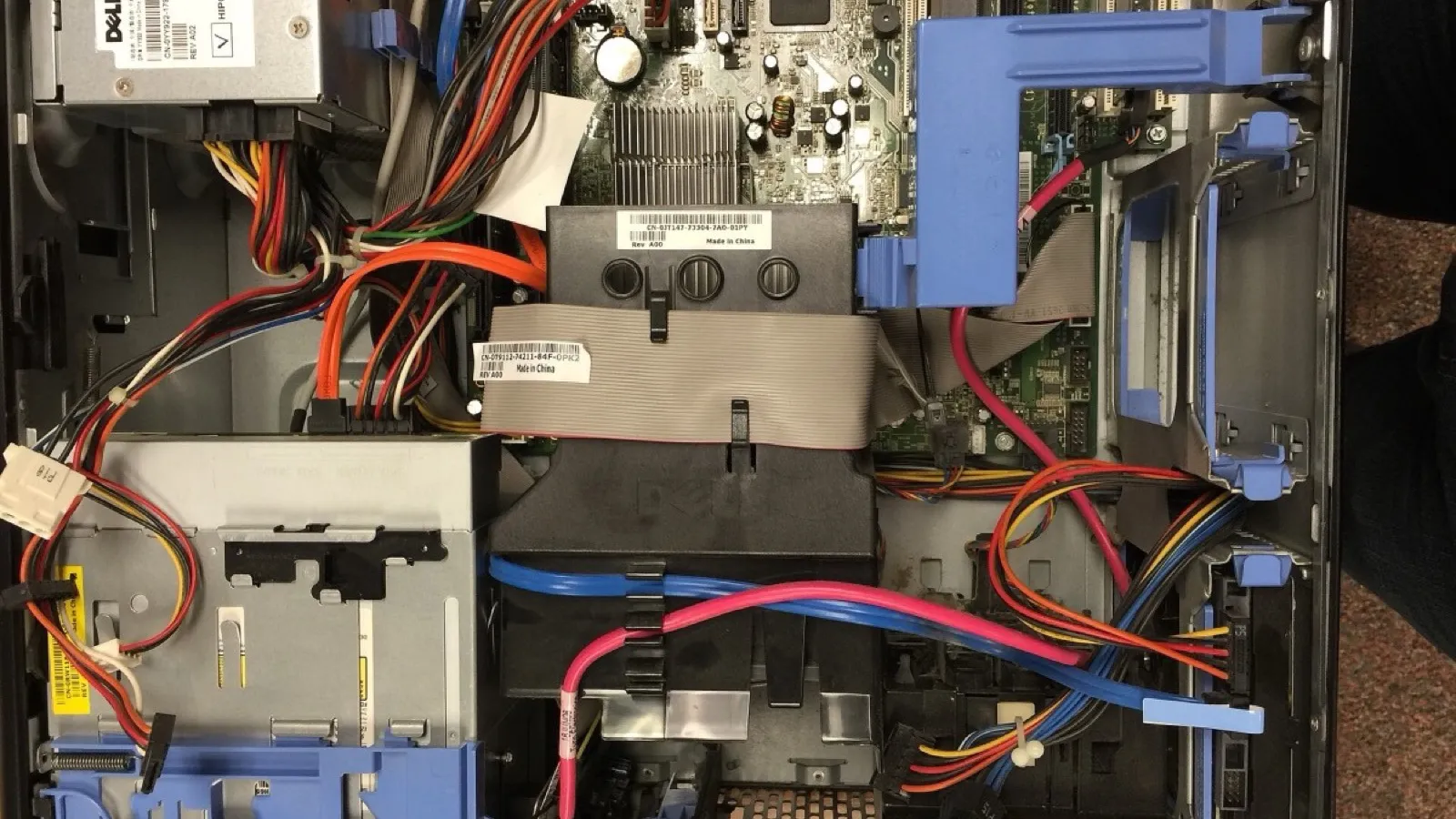
A machine that follows instructions
A computer is a machine that takes in data, processes it according to instructions, and produces a result.
It is extremely fast and never gets bored or careless, but it has no understanding at all. It does exactly what it is told, including when what it is told is wrong.
Almost everything else about computers follows from those two facts.
Hardware and software
Hardware is the physical parts you can touch: screen, keyboard, circuit boards, cables.
Software is the instructions: the operating system, apps, games, a web browser.
Neither is any use alone. Hardware without software is an expensive box; software without hardware has nothing to run on.
An analogy that holds up: hardware is a musical instrument, software is the sheet music, and the result is only music when you have both.
The main hardware parts
- CPU: the processor. Does the actual calculating; often called the brain.
- RAM: working memory. Very fast, but empties when the power goes off.
- Storage: hard disk or SSD. Slower, but keeps your files.
- Input devices: keyboard, mouse, microphone, camera.
- Output devices: monitor, printer, speakers.
The RAM/storage difference is the one to be clear about. It explains why unsaved work disappears in a power cut.
What happens when you open a file
Follow one double-click all the way through.
1. Your click is an input from the mouse.
2. The CPU receives it and asks the operating system what that click means.
3. The file is copied from slow storage into fast RAM, because the CPU can only work with what is in RAM.
4. The CPU processes it and sends the result to the monitor: the output.
All of that takes under a second. And it explains two everyday things: why a big file takes longer to open, and why more RAM lets you keep more programs open at once.
Why computers need exact instructions
Suppose you tell a person "make me a sandwich". They fill in a hundred details automatically.
A computer fills in nothing. It would need: pick up bread, open jar, pick up knife, insert knife into jar, and if you forget "open the jar", it will try to insert the knife through a closed lid and fail.
This is the single most important idea in computing. A computer does not know what you meant. It does what you said.
Which is why programs have bugs: nearly every bug is a human giving an instruction that was slightly not what they intended. The computer followed it perfectly.
Computers around you
Most computers do not look like computers. There is one in a washing machine, a microwave, a car, a traffic light and a wristwatch.
A smartphone is a full computer, with a CPU, RAM, storage, inputs and outputs, exactly as described above.
In schools and hospitals they store records; in banks they track money; in farming they help predict weather and water use.
Worth remembering: every one of them is still just following instructions written by a person. Understanding that is what turns you from a user into someone who can build things.
Where it usually goes wrong
- "Computers are intelligent." They are fast and accurate, not intelligent.
- "The CPU is where files are stored." Files live in storage.
- Confusing RAM and storage. RAM empties; storage keeps.
- "More storage makes a computer faster." More RAM and a faster CPU do that.
- "The monitor is the computer." It is only the output device.
What to remember
- A computer follows instructions: it does not understand.
- Hardware you touch · software is the instructions.
- CPU processes · RAM empties · storage keeps.
- Instructions must be exact and complete.
Watch one worked through
Here is one done slowly, with the reason for every move. Then one for you.
A computer takes a long time to open files and to start up, but once a program is open it runs fine. Which part is the problem, and why?
- slow to OPEN + slow to START → reading stored dataMatch the symptom to a stage. Opening and starting up are both about reading data that is stored.Work from what the machine is doing when it is slow, not from a guess. Each part shows itself through a different symptom.
- RAM ✗ (symptom = many programs at once)Rule out RAM. A shortage of RAM shows up when many programs are open at once, which is not the complaint here.Ruling things out with a reason is worth as much as naming the answer. It shows the diagnosis was reasoned rather than guessed.
- CPU ✗ (symptom = slow all the time)Rule out the processor. If the CPU were too slow, programs would also run slowly once open.The processor affects work happening now, so its symptom is present all the time, not only at the start.
- STORAGE ✓ hard disk → SSDThat leaves storage, the hard disk or SSD. Replacing a hard disk with an SSD would fix it.Storage keeps data permanently and is the slowest part to read from. For how fast a computer feels day to day, an SSD usually matters more than a faster processor.
Answer: Storage. A hard disk is slow to read, so an SSD would fix it.
A computer is fine with one program but slows down badly with ten open at once. Which part needs upgrading? One word.
Show the answer
RAM
Practise Introduction to Computers
Everything on QuizByt for Class 5 Computer Science that goes with this lesson: read it first, then test yourself while it is fresh.
🧠 7 quizzes on Introduction to Computers (4 easy, 2 medium, 1 hard)
One of them is open to everyone, no account needed. Work up from easy to hard: the hard quiz asks the Class 5 exam-style questions on Introduction to Computers.
🖨️ Printable worksheet
Introduction to Computers on paper for Class 5, with room to write the working out. Preview the first page free.
🎮 Games for Class 5 Computer Science
Memory and reasoning games at the right level for Class 5. Passing a quiz on Introduction to Computers earns the credits that open them.
Now test yourself
The quiz on this topic is one of our free ones, no account needed.
Your score is not saved without an account. Create a free one to keep your progress.