
Replacing Google Classroom for Quizzes, Marking and Progress
The hour a teacher spends marking a class test is the hour Classroom never gave back. What a teacher's week looks like once the test marks itself and the weak topics are already on a screen.
The short version
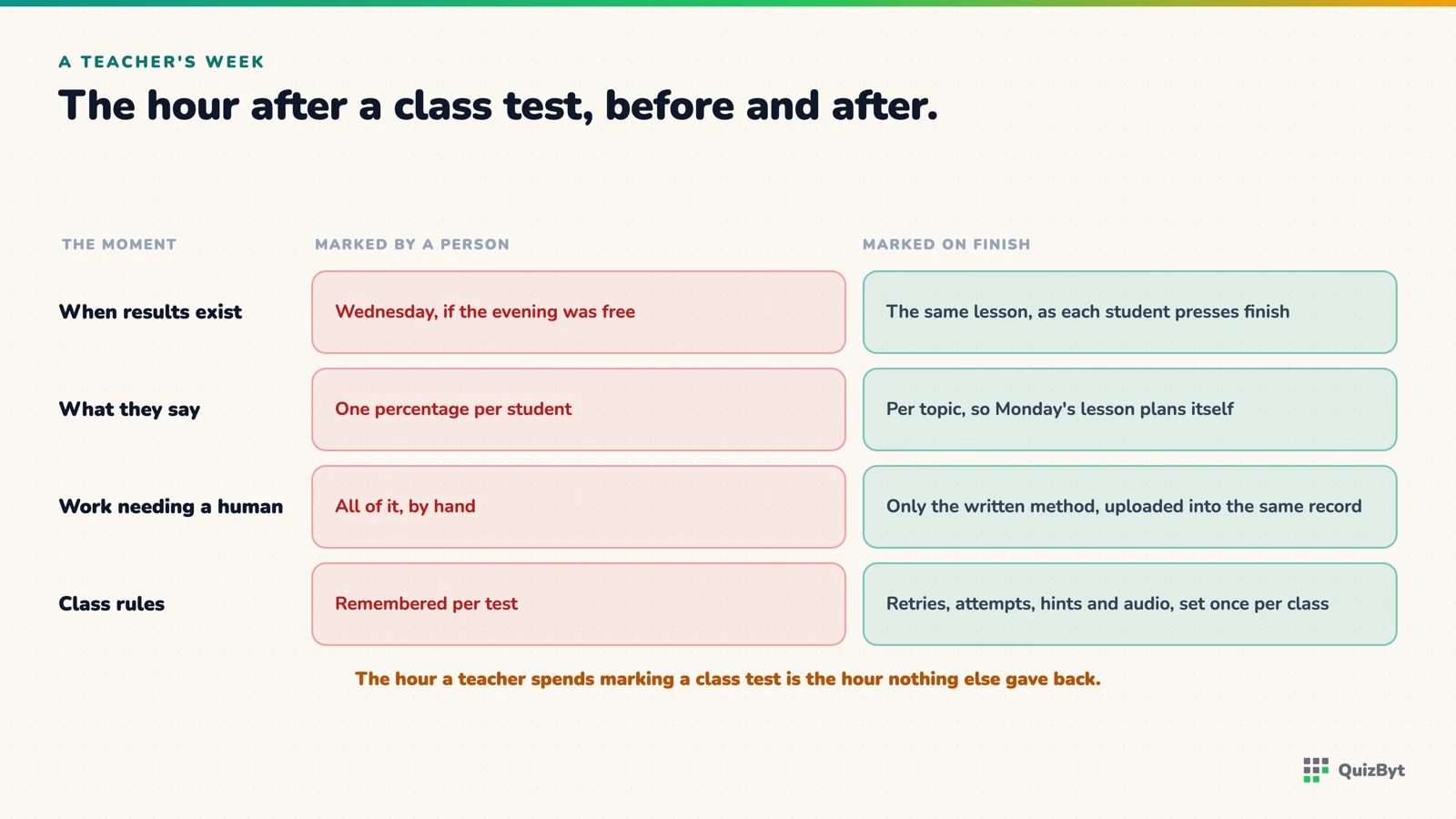
- In Classroom a test is marked by a person; in QuizByt a quiz is marked the second the student presses finish, so results arrive the same lesson.
- Per-topic results replace a single percentage, which is the difference between knowing a class did badly and knowing what to teach on Monday.
- Hand-marking stays for the work that needs it: a teacher sets a maximum score, the student uploads, the teacher marks, in the same record as the auto-marked quizzes.
- A class's own rules (retries, attempts, hints, audio) are set once per class rather than per assignment.
Here is the hour Classroom never gives back. A teacher sets a test on Monday, thirty students hand it in, and on Wednesday evening the teacher marks thirty papers. On Thursday the class finds out what it got wrong on Monday, by which point the reasoning that produced the mistake is gone.
That hour is not a Classroom failing. It is simply not something Classroom tries to do. It distributes and collects. The marking is yours. This article is about what a week looks like when it is not.
Monday: the test marks itself
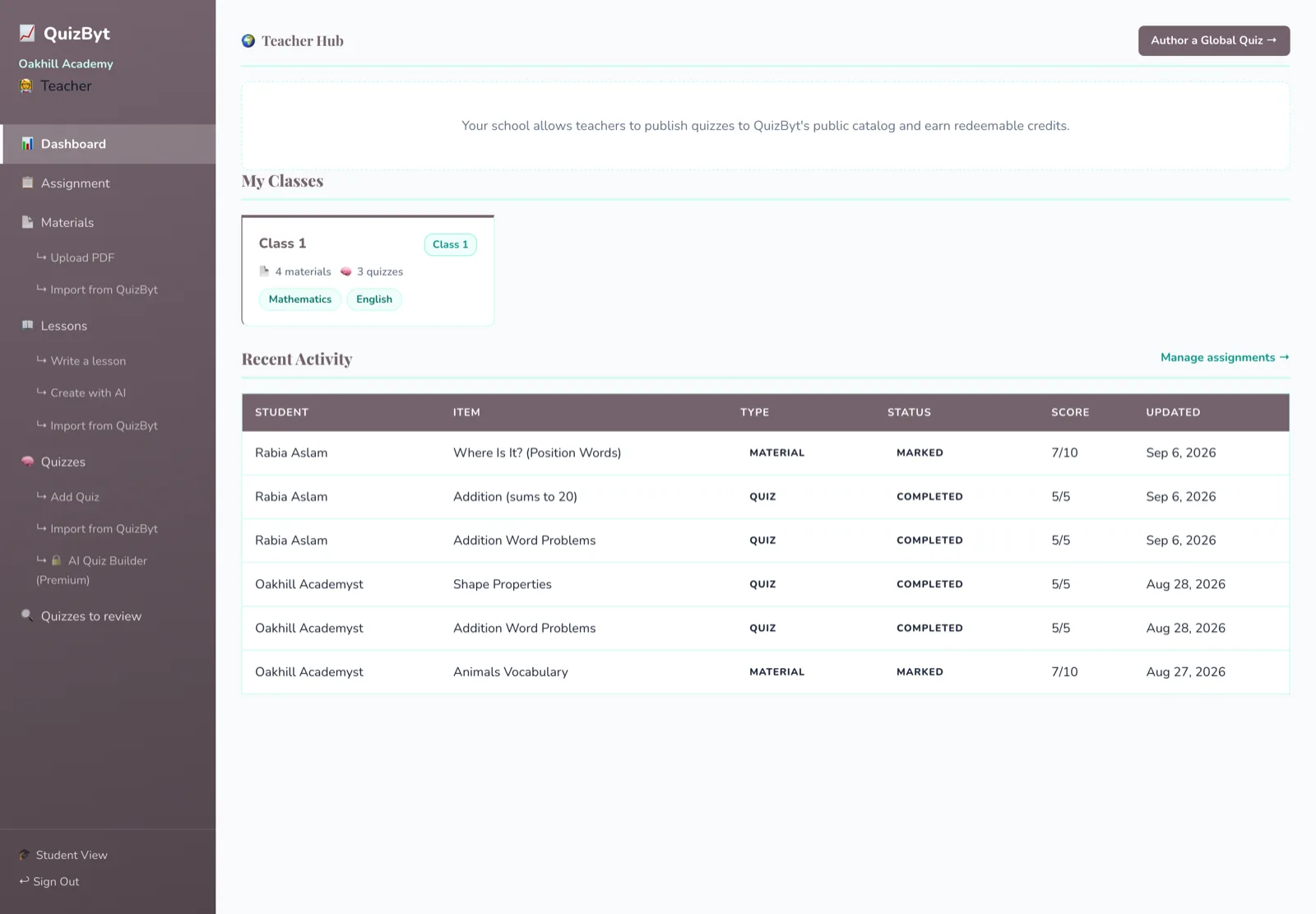
A teacher assigns a topic quiz to the class, from the catalogue, from the school's own bank, or one drafted that morning. Each student's result is recorded the second they press finish. By the end of the lesson the teacher has the class's scores, and more usefully, the scores per topic.
That second thing is what matters. There is good evidence that the feedback which changes learning is specific and prompt rather than a grade days later. Hattie and Timperley's review of feedback puts the effect among the largest in education when the feedback says what to do next. A percentage on Thursday is not that. "Two of six on fractions" on Monday is.
Tuesday: the weak topic is already on the screen
The student report in the school portal shows every quiz a student has taken, with the score and the topic. The class view shows which topics the whole class is weak on. The teacher does not compile this; it is there.
What a teacher does with it is a lesson plan: the topic eleven students missed gets re-taught, and the three who got it get the harder level of the same topic. Both are one assignment each.
Wednesday: hand-marking where it belongs
Not everything should be a multiple-choice quiz, and QuizByt does not pretend it should. A teacher sets a piece of written work with a maximum score, the student uploads it, and the teacher marks it by hand. The score lands in the same record as the auto-marked quizzes, so a student's progress is one list rather than two systems. The flow is in PDF assignments teachers still mark by hand.
The difference from Classroom is what gets hand-marked: the essay, the working, the diagram, not the thirty identical answers to "which of these is a prime number".
Thursday: the class's rules are already set
Each class carries its own settings, whether retries are allowed and how many attempts, whether hints are on, whether questions are read aloud. The school sets them once. A teacher assigning a test does not decide "no retries" on every assignment; the class already knows. For a test that should feel like a test, an assignment can also be flagged full-screen.
What is not here
Announcements, a term calendar, shared documents. QuizByt does none of these (it does now run live Zoom classes), and a teacher who uses Classroom for them will keep Classroom for them. The feature-by-feature comparison is clear about that boundary, and the migration plan works around it.
Questions parents ask
Do teachers still mark anything on QuizByt?
Yes, when they choose to. Uploaded work is marked by hand against a maximum score the teacher sets. Quizzes mark themselves.
Can a teacher write their own quiz questions?
Yes, by hand, by importing from the catalogue, or by drafting from a PDF with the AI builder on the Premium plan and editing the result.
How quickly does a teacher see results?
The moment a student finishes. A quiz assigned in the morning shows class results by the end of the same lesson.
Can students retry a quiz?
That is the class's decision. Each class has its own retry and attempt limits, set by the school once rather than on every assignment.
Responses
Sign in to join the conversation. Responses are open to people with a QuizByt account, which is how we keep this a place you would let your child read.
Loading responses…
Lessons that talk, quizzes that mark themselves, games that make kids think
QuizByt is matched to your child's class. Classes 1–10 and Cambridge O Level. Every subject opens with a free lesson, quiz and worksheet, no account needed.
 QuizByt vs Google Classroom: What Each One Actually DoesThey are not the same kind of tool, and pretending otherwise helps nobody. Classroom is a place to hand things out; QuizByt is a place where the work marks itself. Here is exactly where they overlap and where they do not.Read the article →
 A Migration Plan From Google Classroom to QuizByt, in Five StepsDo not switch everything on a Monday. Move the test, then the practice, then the lessons, keep Classroom for announcements, and decide at the end of term whether you still open it.Read the article →
 How to Judge a Learning App for a Four-Year-Old: Seven TestsEvery app in the education category says it is educational. Seven checks, none of which take more than a minute, will tell you whether this one is built for your child or for your attention.Read the article →