
A Migration Plan From Google Classroom to QuizByt, in Five Steps
Do not switch everything on a Monday. Move the test, then the practice, then the lessons, keep Classroom for announcements, and decide at the end of term whether you still open it.
The short version
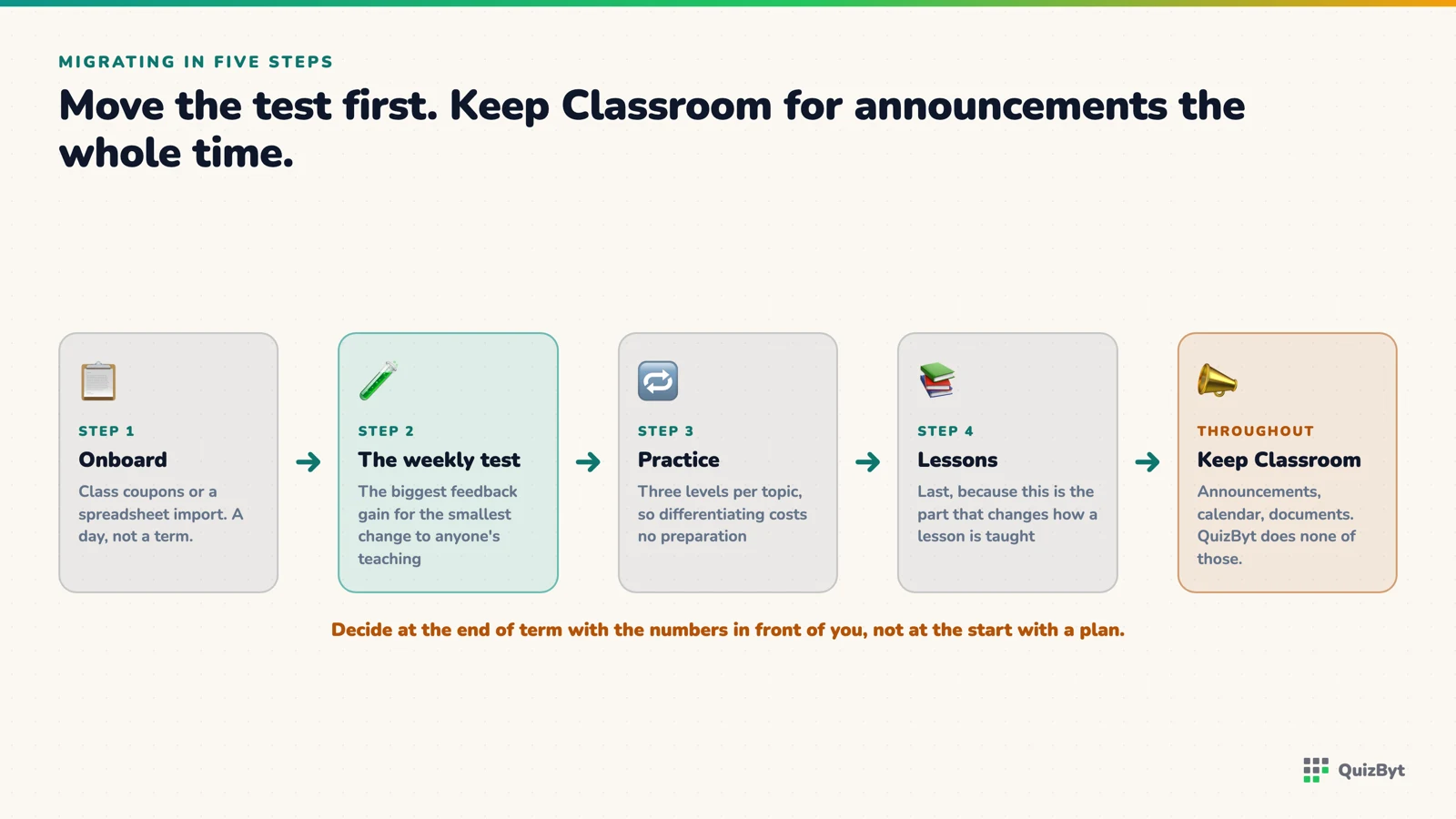
- Onboard students by class coupon or a spreadsheet import, the school is set up in a day, not a term.
- Move the weekly test first: the biggest feedback gain for the smallest change to how anyone teaches.
- Keep Classroom for announcements throughout; QuizByt does not do them and does not need to.
- Decide at the end of the term with the numbers in front of you, not at the start with a plan.
The migrations that fail are the ones that switch everything on a Monday. Teachers have a new login, students have a new login, the announcements are in two places, and by Friday the school is back on Classroom because it was familiar. This plan is the opposite: five steps, one term, and Classroom stays open throughout for the things it does well.
Step 1: Set the school up (one day)
Create the school, its branches if it has them, its classes and its teachers in the portal. Then onboard students one of two ways: a class coupon that students redeem themselves at registration, or a bulk import from a CSV or spreadsheet that creates the accounts and emails each student a one-time login link. Both are described in set up a whole school in a day.
Set each class's rules now (retries, attempts, hints, read-aloud) so no teacher has to think about them later.
Step 2: Move the weekly test (weeks 1–3)
Pick one subject in one class and move only its weekly test. Nothing else changes: the lesson is still taught however it was taught, the announcement still goes on Classroom. The test is assigned in QuizByt, marks itself, and the teacher sees per-topic results the same lesson.
This is the step that makes the case or does not. If the teacher's re-teach on Thursday is better because Monday's results said which topic, extend it to the other subjects. If not, stop here. You have learned that cheaply.
Step 3: Move the practice (weeks 4–7)
Every topic has quizzes at three levels. Set the middle level as homework, the harder level for the students who scored well, the easier for those who did not. A teacher does this in three assignments, and the students who need more practice get more practice without anyone being singled out in the room.
Keep printing worksheets throughout. Handwriting at speed is still what exams test, and every topic has a printable sheet.
Step 4: Move the lessons (weeks 8–11)
Only once teachers trust steps 2 and 3. The school's own Learn section takes lessons written by teachers, imported from the catalogue and adapted, or on the Premium plan drafted from a PDF chapter. A lesson advances one idea at a time and ends on a quiz about the same topic, which is why it goes last: it changes how something is taught, not only how it is marked. Scrolling lessons instead of slide decks says what does and does not change.
Step 5: Decide with the numbers (week 12)
At the end of the term, open the class reports. Look at how many quizzes were taken, which topics the class was weak on and whether they improved on the retry, and how many hours of marking teachers did not do. Then open Classroom and count what it was used for in the last month.
If the answer is "announcements", the school decides whether a second login is worth it for those. If Classroom was still carrying work to be done, find out why, usually it is a teacher who was never shown step 2.
What this plan leaves out
It does not move announcements, a term calendar or shared documents, because QuizByt does not have them. A migration plan that pretended otherwise would fail at step 1.
Questions parents ask
How long does onboarding a school take?
A day. Classes and teachers are created in the portal, students join with a class coupon or are imported from a CSV or spreadsheet, and the class is ready for its first assignment.
Do we have to stop using Google Classroom?
No. Keep it for announcements and anything QuizByt does not do. Most schools run both for a term.
Can we bring our own quizzes across?
Yes. Write them in the portal, import from the QuizByt catalogue, or on the Premium plan draft them from a PDF chapter with the AI builder and edit the result.
What if some students have no device at home?
Every topic has a printable worksheet, and the portal's materials can be printed. Plan for a mixed cohort from the start rather than assuming every home has a tablet.
Responses
Sign in to join the conversation. Responses are open to people with a QuizByt account, which is how we keep this a place you would let your child read.
Loading responses…
Lessons that talk, quizzes that mark themselves, games that make kids think
QuizByt is matched to your child's class. Classes 1–10 and Cambridge O Level. Every subject opens with a free lesson, quiz and worksheet, no account needed.
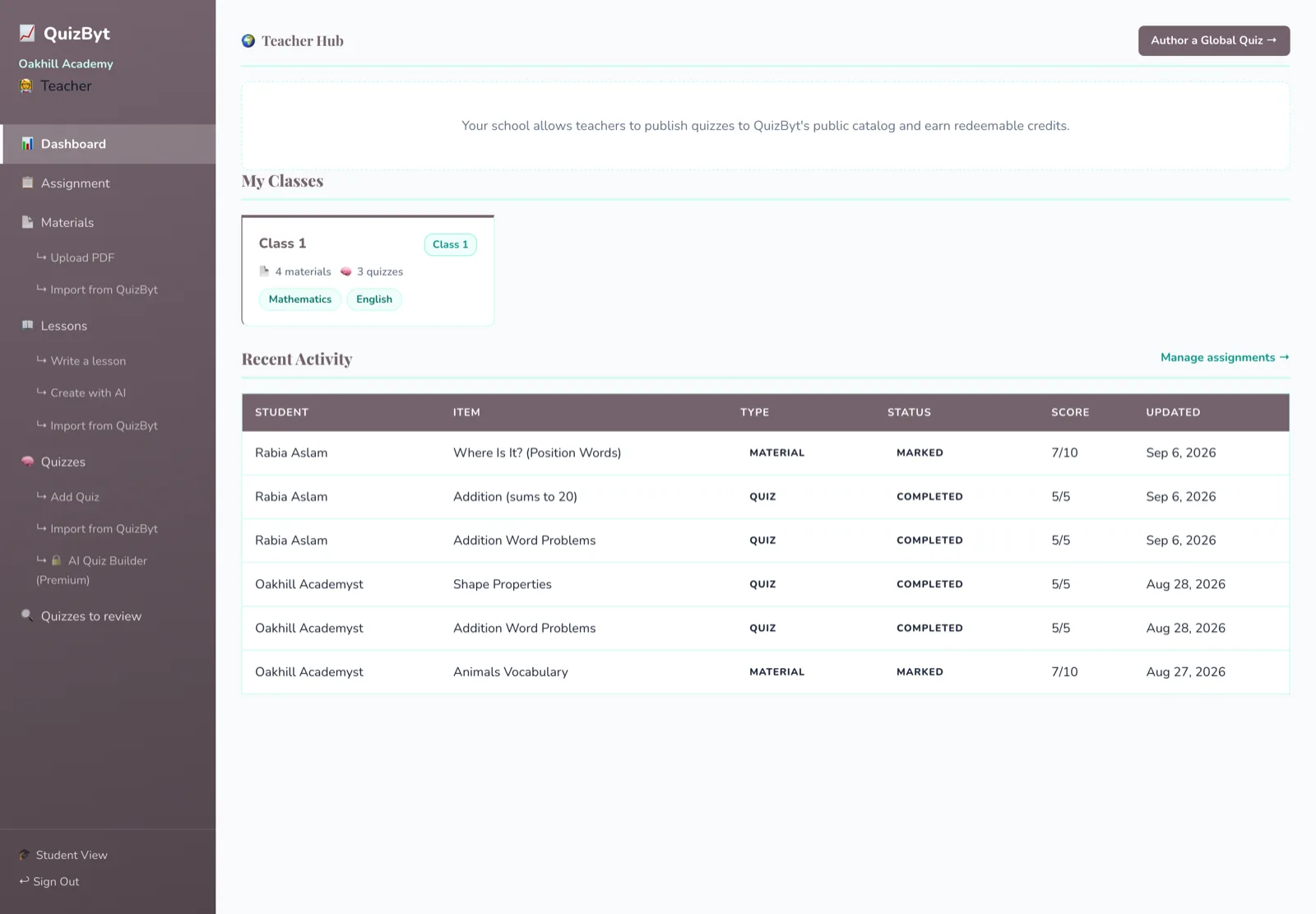 Replacing Google Classroom for Quizzes, Marking and ProgressThe hour a teacher spends marking a class test is the hour Classroom never gave back. What a teacher's week looks like once the test marks itself and the weak topics are already on a screen.Read the article →
 How QuizByt Picks Games by Age: Three Bands, Not One CatalogueA seven-year-old and a fifteen-year-old should not see the same games list. Here is how a child's class decides which games they can see, which are free, and which come with spoken instructions.Read the article →
 Screen Time Under Six: What the Research Actually SaysThe honest summary is not "screens are bad" or "screens are fine". It is that almost everything depends on what is on the screen and whether an adult is sitting there, and the size of that second effect is startling.Read the article →