
Teachers Can Now Run Their Own Virtual School or Tuition Centre
A good teacher with a laptop can already teach online. What they usually lack is everything around the teaching: a syllabus of lessons, quizzes that mark themselves, worksheets, a timetable and a way to see who is falling behind. Here is how to set up all of it under your own name.
The short version
- Running online tuition used to mean stitching together a video tool, a course builder or classroom app, a quiz tool and a folder of worksheets, and writing most of the content yourself.
- On QuizByt a teacher registers their tuition centre or small school like any school, under their own name, logo and colour.
- The catalogue of lessons, quizzes and worksheets is there on day one; the teacher imports what fits and writes what they teach differently.
- Zoom classes, assignments, hand marking, per-topic results and games for students are in the same account.
In most countries a large share of teaching already happens outside school: evening tuition, academies above shops, a teacher with eight students around a dining table. Since 2020 more of it has moved online. A tutor with a laptop and a Zoom link can teach anyone in the city, or anywhere.
The teaching is the part a good teacher has already mastered. What is hard is everything around it. This article is about that, and how a single teacher can now run a virtual school or tuition centre with the same tools a school gets.
What online tuition usually looks like
Ask an online tutor how they run their week and you hear the same list: a video tool for the class, WhatsApp for homework, photographs of worksheets, a quiz tool for tests, a spreadsheet for marks, and a lot of evenings writing questions. Each tool is fine. Together they are a second job.
The platforms built for online teaching tend to solve one part of this well:
- Course builders such as Teachable and Thinkific let you sell courses with videos, quizzes and certificates. You write every lesson and every question yourself.
- Classroom tools such as Google Classroom and Microsoft Teams for Education organise classes, assignments and calls. They start empty.
- Tutor business tools such as Wise handle Zoom sessions, attendance, fees and a branded app for coaching institutes. The content is yours to bring.
- Learning management systems such as Moodle can do almost anything, once someone builds it.
- Video tools such as Zoom for Education run the class itself.
And tools can disappear. Edmodo, once used by millions of teachers, closed in September 2022 and deleted every account. A teacher who keeps everything in one place they can see is in a stronger position than one spread across six.
What none of the tools above gives a tutor is the content: a syllabus already broken into topics, with a lesson, quizzes and a worksheet for each. That is the part QuizByt has spent years building, and it is the part that saves a teacher's evenings.
Your own school on QuizByt, step by step
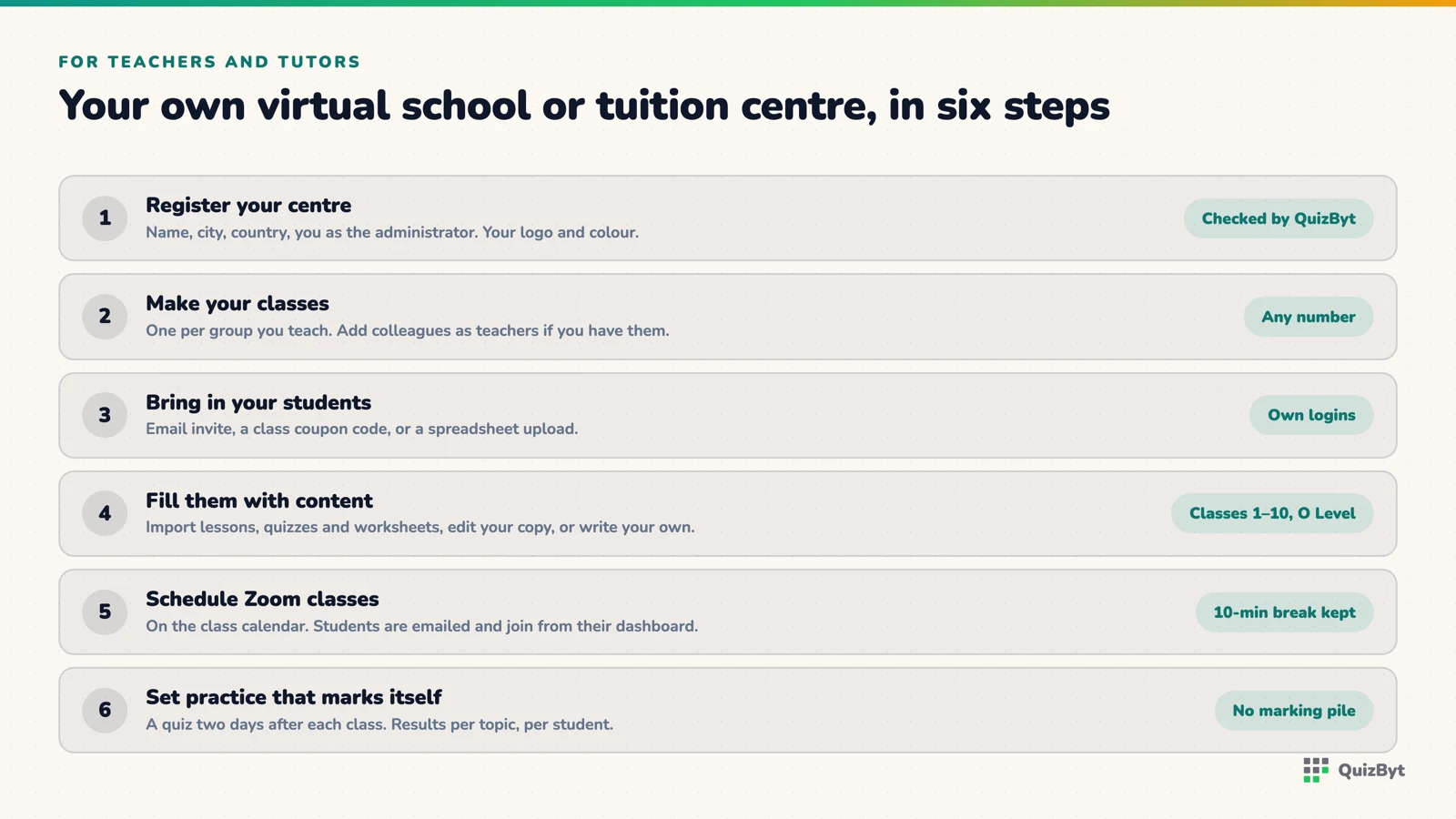
1. Register your centre
Go to school registration and register your tuition centre or small school the same way a large school does: its name, city and country, you as the administrator, and your brand colour. QuizByt checks every new school before it goes live, so expect a short wait. Once approved, add your logo in Settings and the portal carries your name, logo and colour throughout, including the bar on your students' phones.
2. Make your classes
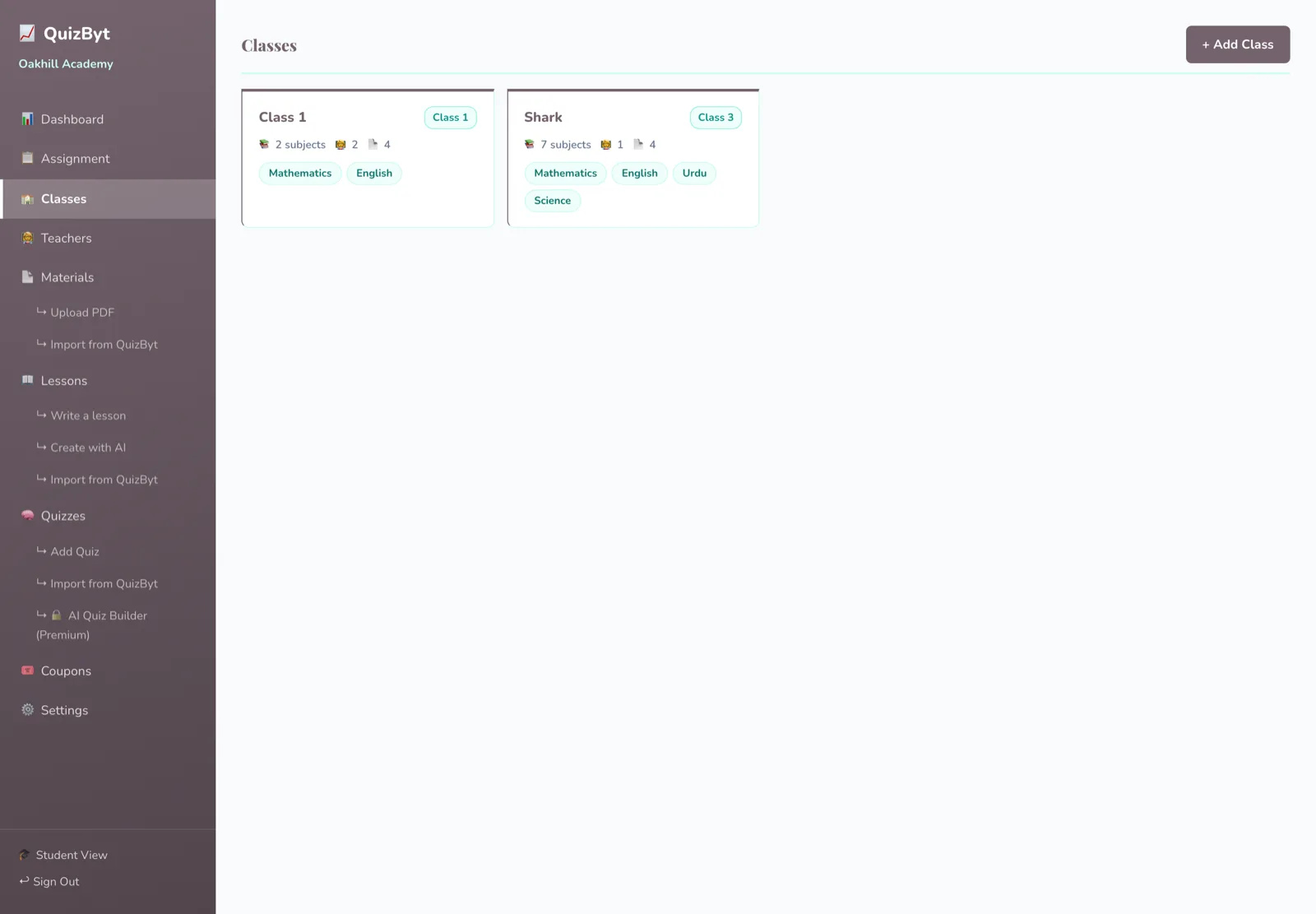
One class per group you teach: "Class 7 Maths, evening", "O Level Chemistry, weekend". Give each class its subjects. If you have colleagues, add them as teachers and give each one their classes and subjects.
3. Bring in your students
Invite them by email, hand out a class coupon code, or upload a list from a spreadsheet. Each student gets their own login and a dashboard showing your classes, their work and what is due.
4. Fill your classes with content
Import lessons, quizzes and worksheets from the QuizByt catalogue for Classes 1 to 10 and O Level, edit your own copy of any lesson, write your own, or build one from a chapter PDF. More on that in build your own question bank.
5. Put your live classes on the calendar
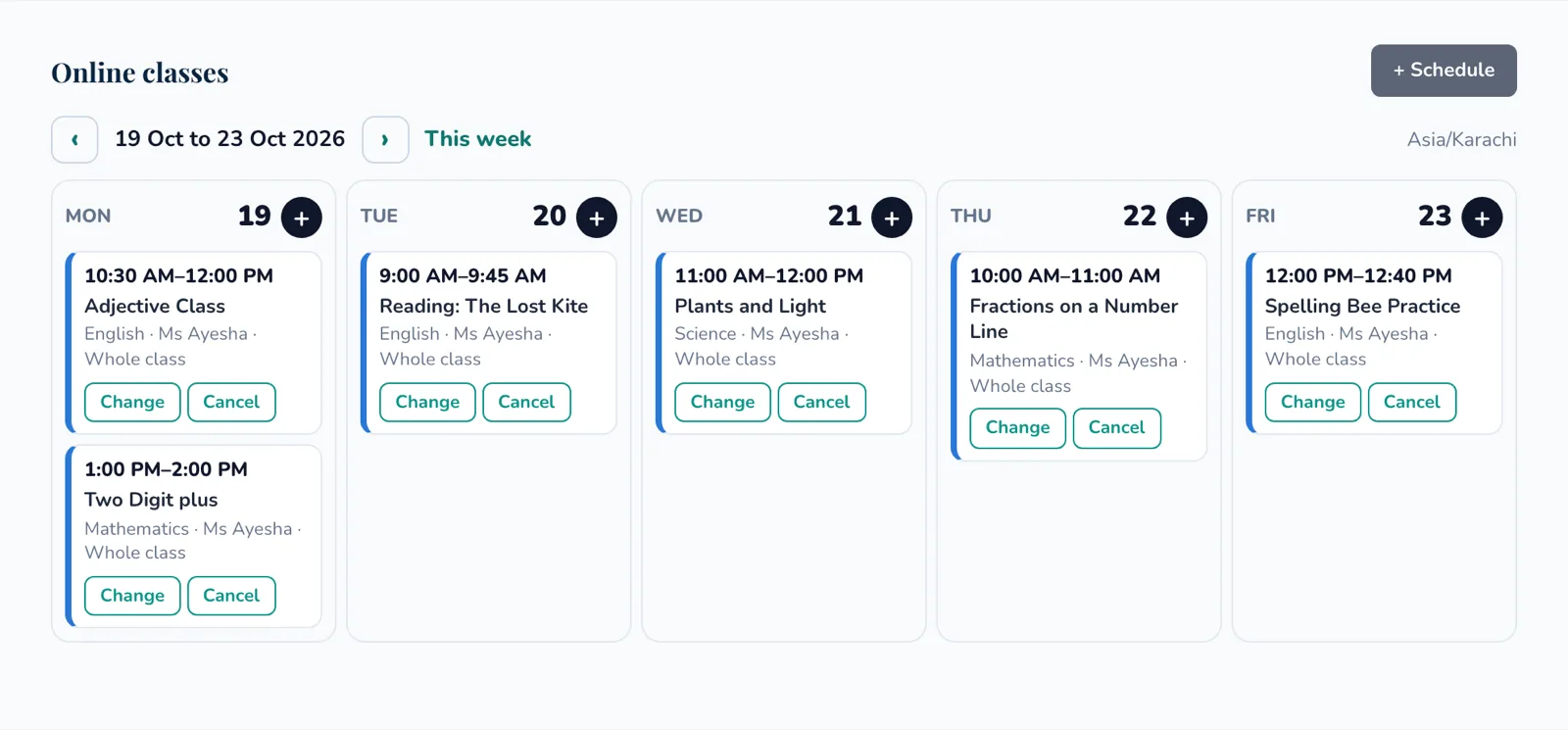
From the class page, schedule an online class: subject, date, start and end, an agenda, and whether it is for the whole class or a few students. You can also click the plus on any day of the week calendar. QuizByt creates the Zoom meeting, emails your students, and shows the class on their dashboards with a "Join now" button from fifteen minutes before. It will not let you book two classes back to back without a ten-minute break, which your voice will thank you for. Times follow your country's time zone.
6. Set the practice, and let it mark itself
After each live class, assign the quiz for that topic, due in two days. It marks itself when the student finishes and the result goes into a record per topic, so before your next class you know who needs the method again. Written work can be uploaded by the student and marked by you, and it sits in the same record. See assignments and results in one place.
7. Give your students a reason to come back
Your students also get QuizByt's learning games, logic, number and word puzzles chosen by age. Most are opened by credits earned from passing quizzes, so the games reward the practice instead of competing with it. You can switch games off for your school in Settings if you prefer.
Why this way of teaching works
The design follows the research rather than fashion. Students learn more when they do something than when they only listen (Freeman et al., 2014). Retrieving what you learned, spaced over days, beats re-reading it (Carpenter, Pan and Butler, 2022). Edutopia's collection of quick retrieval practices is a good read for any tutor on how to use quizzes this way. And games help most when they are well designed and tied to the work (Clark et al., 2016). A tutor's live class is the explanation; the quiz on Wednesday is the retrieval; the record is how you decide what Friday's class is about.
Is this new?
Each part exists somewhere. Outschool lets teachers run their own live classes. Course builders let them sell their own courses. Quiz tools let them run quizzes. What we could not find, reading the public pages of the platforms in this article, was one place where a single teacher can open their own branded school, schedule Zoom classes on a calendar, and find a ready syllabus of lessons, self-marking quizzes, printable worksheets and games for their students. That is what QuizByt now offers.
Some limits to know before you start. QuizByt does not find students for you; you bring your own. It does not take payments from your students on your behalf; you collect your fees as you do today. And the AI quiz builder, which drafts a quiz from a chapter PDF, is on the top school plan.
References
- Teachable. teachable.com. Thinkific. thinkific.com.
- Google. Google Classroom. Microsoft. Teams for Education.
- Wise. wise.live. Moodle. moodle.com. Zoom. Zoom for Education.
- EdWeek Market Brief (2022). Online tech hub Edmodo shutting down as school year kicks off.
- Freeman, S. et al. (2014). Active learning increases student performance in science, engineering, and mathematics. PNAS.
- Carpenter, S. K., Pan, S. C. and Butler, A. C. (2022). The science of effective learning with spacing and retrieval practice. Nature Reviews Psychology.
- Leonard, D. (2025). 15 quick (and mighty) retrieval practices. Edutopia.
- Clark, D. B., Tanner-Smith, E. E. and Killingsworth, S. S. (2016). Digital games, design, and learning. Review of Educational Research.
Questions parents ask
Can one teacher register, or does it have to be a school?
One teacher can register. The form asks for a name, city and country and an administrator; that can be your tuition centre's name and you. Every new school is checked by QuizByt before it goes live.
How do my students join?
By email invite, by a class coupon code, or by uploading a list from a spreadsheet. They get their own logins and see your classes and work on their dashboard.
Can I add other teachers later?
Yes. Add teachers and give each one classes and subjects. Each teacher schedules their own Zoom classes and sees their own classes' work.
Do I have to use QuizByt's lessons?
No. Import the ones that fit, edit your own copy, write your own, or build one from a chapter PDF. Your own content stays in your school.
Responses
Sign in to join the conversation. Responses are open to people with a QuizByt account, which is how we keep this a place you would let your child read.
Loading responses…
Lessons that talk, quizzes that mark themselves, games that make kids think
QuizByt is matched to your child's class. Classes 1–10 and Cambridge O Level. Every subject opens with a free lesson, quiz and worksheet, no account needed.
 Top 5 Online Schools With Live Zoom Classes, and How QuizByt Is DifferentOutschool, K12, Connections Academy, King's InterHigh and Vedantu all teach children live over video. We read what each one offers, compared them with the quiz tools teachers use alongside, and set out plainly where QuizByt fits and where it does not.Read the article →
 One Teacher, Every Class: Assignments and Results in One PlaceSet work for one student, a group or a whole class, and see who did it and how they scored, without three spreadsheets and a WhatsApp group.Read the article →
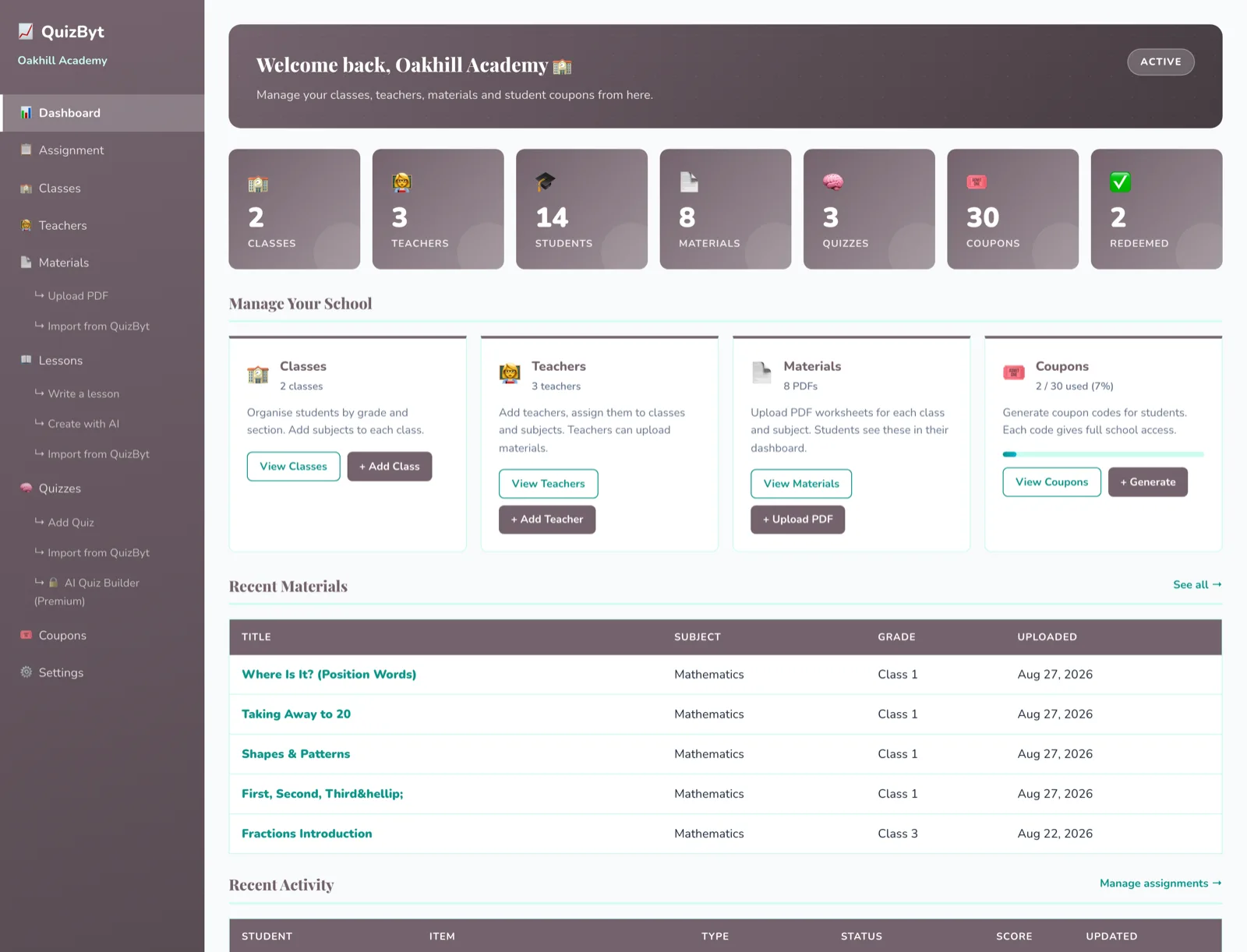 Set Up a Whole School in a DayClasses, teachers, students, materials and the first assignments, the realistic order to do it in, and the two steps that actually take the time.Read the article →