
Scrolling Lessons Instead of Slide Decks: What Changes
Students scroll for hours and sit through slides for minutes. Using the format they already read fluently is a real gain, but be careful which gain you claim.
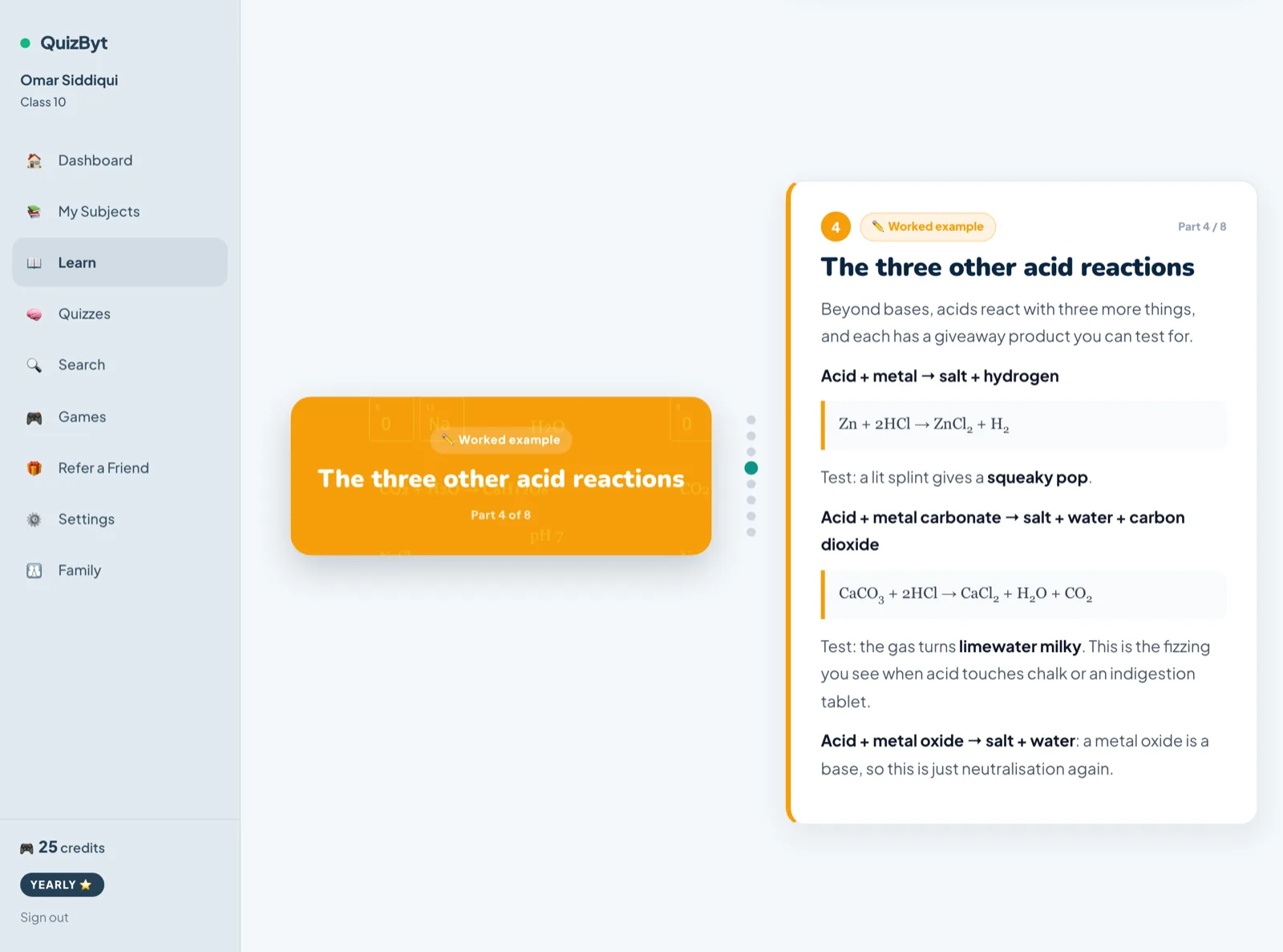
The short version
- Scrolling lessons reveal one idea at a time and pace themselves to the reader, which suits how students already consume content.
- Evidence supports the engagement benefit; evidence that it raises test scores over other interactive formats is weaker than vendors suggest.
- The real design win is one idea per scene with a question before moving on, not the scrolling itself.
- A slide deck exported as a scrolling page is still a slide deck.
Ask a teenager to work through a twenty-slide deck and watch what happens. Ask the same teenager to scroll, and they will do it for an hour without noticing. That asymmetry is worth using, with some care, because it is easy to overclaim.
What is actually different
A scrolling lesson reveals one idea at a time, paced by the reader, with progress requiring a deliberate action. A slide deck presents a fixed sequence at a fixed granularity, usually designed to be spoken over by a teacher and then handed out as if it were study material, which it was never designed to be.
Educational technology writers make a consistent case that scrollytelling suits online learning because the learner has to participate to progress, and because complex topics can be broken up and revealed gradually.

Where the claim gets overstated
Here is the part most vendor pages leave out. A comparative study of static, scrollytelling and chatbot onboarding found no significant difference in quiz scores between them, nor in confidence, clarity or satisfaction ratings.
You will also see "17x higher engagement" quoted widely. That figure comes from a software company's own marketing blog, not from research, and it should not be cited as evidence.
So the honest position: scrolling lessons are a better format for self-paced study material and students will work through more of them. That is a real and sufficient benefit. Claiming they raise test scores over other well-designed interactive formats goes beyond what has been shown.
What makes one good
The scrolling is not the teaching. These are:
- One idea per scene. If a scene contains three things, it is a slide.
- A picture that explains rather than decorates. Drawn for this topic, not stock art.
- A worked example with the reasoning written out, not only the steps.
- A question before moving on, so progress requires retrieval rather than scrolling.
- An honest length indicator. "Part 3 of 10" respects the reader; infinite scroll does not.
How our lessons are built
QuizByt lessons are stored as ordered scenes rather than as one long page (each with a kind, a title and a body) which is what lets a lesson advance one part at a time and show a student where they are in it. There are 405 published topics across 2,940 parts, and 116 of them are free to read without an account.
Every lesson ends on a quiz about that same topic, which is the sequence the evidence on practice testing actually supports: read once, then retrieve. The scrolling makes the reading happen; the quiz is what makes it stick.
Related: why students scroll.
Questions parents ask
Is scrollytelling better than slides for learning?
For engagement and pacing, the case is good. For test scores specifically, one comparative study found no significant difference between scrollytelling, chatbot and static onboarding formats, so claim engagement, not outcomes.
Why do students engage more with scrolling content?
It is the format they read fluently outside school, it reveals one thing at a time, and progress requires their own action, which keeps attention in a way passive viewing does not.
Does this mean presentations are useless?
No. A live presentation with a teacher answering questions is a different activity from self-paced study material. The comparison here is about material students work through alone.
What makes a scrolling lesson good rather than long?
One idea per scene, a picture that carries part of the explanation, and a question before moving on. Length without those is just a long page.
Responses
Sign in to join the conversation. Responses are open to people with a QuizByt account, which is how we keep this a place you would let your child read.
Loading responses…
Lessons that talk, quizzes that mark themselves, games that make kids think
QuizByt is matched to your child's class. Classes 1–10 and Cambridge O Level. Every subject opens with a free lesson, quiz and worksheet, no account needed.
 Why Students Scroll, and How to Use It Instead of Fighting ItThe habit schools complain about is a trained skill: rapid evaluation, self-pacing, and instant abandonment of anything that does not earn attention. Learning material can meet that standard.Read the article →
 From Paper to Tablet Without Losing the LearningMost school digitisation projects move the paper onto a screen and call it transformation. Here is what actually has to change, and the parts of paper worth keeping.Read the article →
 The Community's Job: Raising Digital Learners TogetherA child's relationship with screens is shaped by parents, teachers, schools and friends, not by one rule at one kitchen table. What each of them can do, and how a shared platform makes it easier.Read the article →