
Upload a PDF, Get a Lesson, a Quiz and a Worksheet
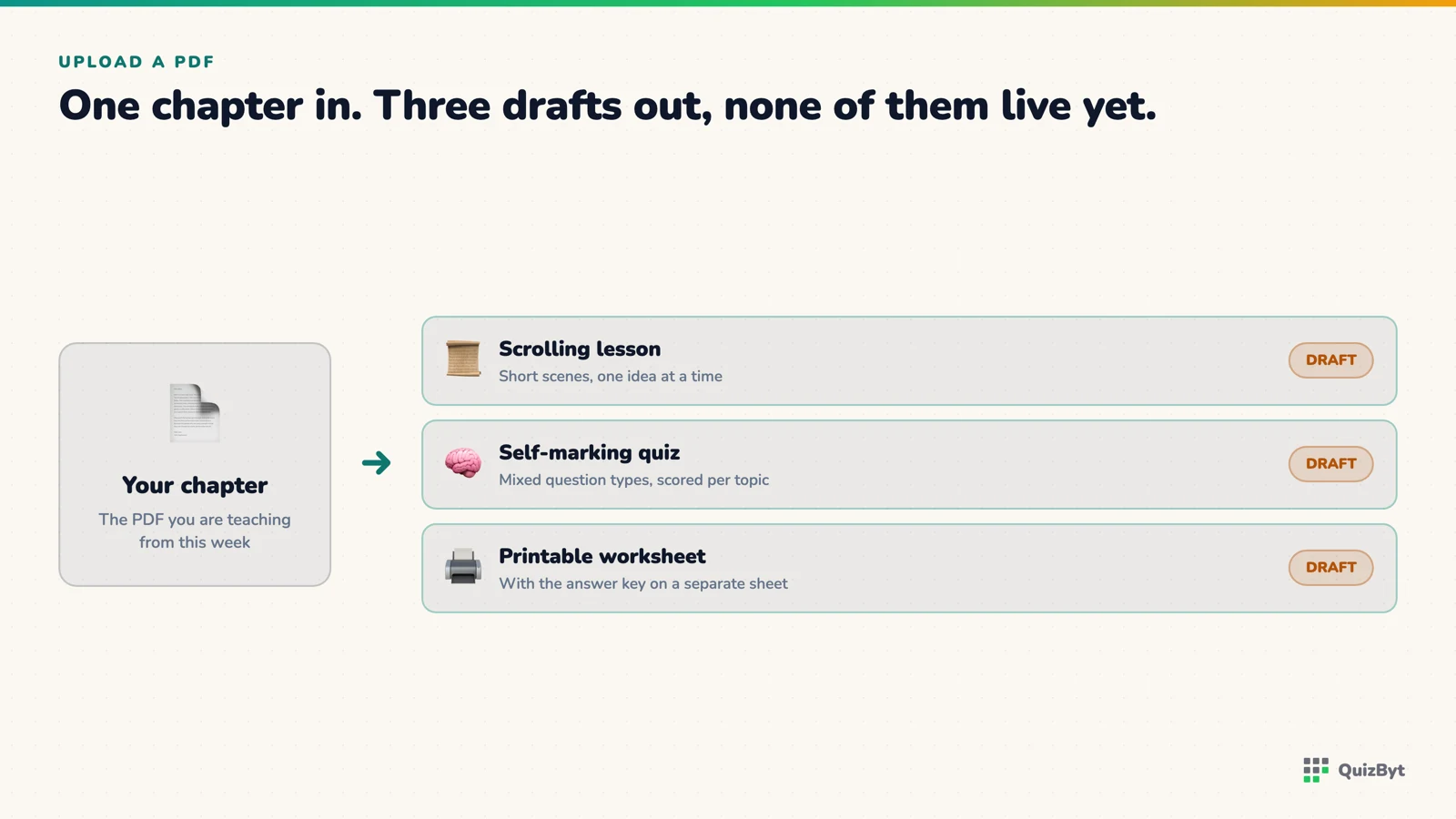
A school uploads the chapter it is actually teaching. Out comes a scrolling lesson, a self-marking quiz and a printable worksheet, all drafts, all waiting for a teacher. What happens in between, and what makes it fail.
The short version
- One upload can produce three different things: a scrolling lesson, a quiz and a printable worksheet, built from the chapter the school is actually teaching.
- The lesson is a rewrite into short scenes, not a transcription. Scene kinds are fixed so the output always renders properly.
- Everything arrives as a draft. A teacher reads it, edits it and publishes it.
- A scanned PDF with no text layer fails with a clear message rather than producing an empty lesson, because there is nothing to read.
Most schools we talk to have the same quiet problem. They have excellent material, in PDFs, in folders, built up over years, and none of it does anything. A PDF is a thing a child reads once and a teacher marks by hand. This is the feature that changes what those files can be.
What a teacher does
Open the school portal, choose to build a lesson or a quiz from a PDF, upload the chapter, and set four things: the class, the subject, the topic, and for a quiz the level and how many questions. Then wait a minute or two.
That is the whole interaction. Everything below happens on our side.
Reading the file
The text layer is extracted first. This is the step that decides whether anything else is possible, and it is where uploads fail. A PDF exported from a word processor carries its text and reads perfectly. A PDF that is a photograph of a page carries pixels and no text at all.
When that happens the upload is refused with a message saying so. The alternative, generating a thin lesson from whatever stray characters came out, would produce something that looks finished and teaches nothing, which is a worse failure than an error message.
Extracted text is then cleaned of the ragged whitespace that PDF extraction always produces, because otherwise the model spends its attention on layout artefacts rather than on content.
Turning a chapter into a lesson
A lesson on QuizByt is a sequence of short scenes a student scrolls through, one idea at a time, with the next appearing as they move. The generator rewrites the chapter into that sequence. It is a rewrite rather than a transcription, because a chapter is written to be read in one go by someone who already knows how to read a textbook, and a scrolling lesson is written for a child who gives you four hundred words before deciding.
Scenes are restricted to eight kinds: an opening, a definition, the parts of a thing, a worked example, a comparison, a sequence of steps, a recap, and a question. The generator may only produce those eight, and the restriction is enforced rather than requested. An invented scene kind would render as an unstyled block on a real child's screen, which is the sort of failure that erodes trust in everything around it.
The result is saved as a draft. What changes when a lesson scrolls instead of being a slide deck is a separate article.
Turning the same chapter into a quiz
The quiz path takes the PDF, the class, the subject, the level and a question count between three and twenty, and returns questions drawn from that chapter. For younger classes the prompt asks for a mix of question types rather than a run of multiple choice: tiles tapped into order, several blanks in one sentence, items sorted into groups, pictures to tap.
The draft is saved to the school's own quiz list with a fifteen-minute limit and opened in the editor, where the teacher reads every question before anyone sits it. What that review actually involves, hour by hour, is written up in from chapter to exam in an afternoon.
And into a worksheet
The same request can return a printable worksheet instead of, or as well as, a quiz: fill-in-the-blank, multiple choice and matching sections, with an answer key that goes to a separate sheet rather than the one the child gets.
Worksheets are generated as PDFs, which brings a constraint most people never think about. A print engine cannot draw an emoji and will not render most inline graphics reliably. So the picture tokens that draw base-ten blocks, number lines and counting objects on screen have a printable equivalent built from tables and typographic glyphs. One question, two renderings, no second authoring pass.
Everything arrives as a draft
Not one of these three outputs is visible to a student when it is generated. The lesson is a draft. The quiz is a draft in the school's quiz list. The worksheet is a file waiting for someone to look at it.
This is the part schools ask about most, so to be plain: there is no setting that turns it off, no auto-publish toggle, and no timeout after which an unreviewed draft goes live. A person publishes, or nothing publishes.
What this is worth in hours
A chapter that previously produced one worksheet, marked by hand over a weekend, now produces a lesson students can work through alone, a quiz that marks itself and records results per topic, and a printable sheet for the students who work better on paper. The teacher's time moves from producing to checking. What that adds up to across a department is its own article.
Questions parents ask
What kind of PDF works?
One with a real text layer: anything exported from Word, InDesign or a textbook publisher. A photograph of a page or a scan with no OCR has no readable text and is refused with an explanation.
Does the lesson copy the PDF?
No. It rewrites the content into short scenes that each make one point. A worksheet PDF transcribed scene by scene would be a worksheet with scrolling, which helps nobody.
Is this included in every school plan?
The AI quiz builder is a Premium school feature. The lesson builder and the manual authoring tools are part of the school portal.
Who owns the result?
The school. Generated lessons and quizzes are saved to that school's own library and are visible to its own classes, not added to the public catalogue.
Responses
Sign in to join the conversation. Responses are open to people with a QuizByt account, which is how we keep this a place you would let your child read.
Loading responses…
Lessons that talk, quizzes that mark themselves, games that make kids think
QuizByt is matched to your child's class. Classes 1–10 and Cambridge O Level. Every subject opens with a free lesson, quiz and worksheet, no account needed.
 Why Several Agents Instead of One Big PromptAsking one model to read a chapter, pick the topics, write the questions, draw the pictures and check its own work produces something that looks right and falls apart at the edges. Splitting the job into steps that each produce something inspectable works better, and here is why.Read the article →
 One Chapter, Three Boards: What Changes and What Does NotTake quadratic equations across Cambridge IGCSE, Oxford AQA and the Federal Board matric syllabus. The content list looks almost identical. The teaching, the depth and the examination are not. A worked comparison.Read the article →
 Student Reports That Come From Real WorkA report assembled from assignments a student actually did says something. A report assembled from one end-of-term test mostly measures one afternoon.Read the article →